
BobWeb Zero Emission Zone Check Chrome Extension
FOR NETHERLANDS ONLY – Chrome Extensie voor Google Maps die checkt of je bestemming in een Zero Emmissie zone ligt, en of je daar mag komen op een bepaalde datum met jouw voertuig.
One time payment & money back guarantee
1 site license
FOR NETHERLANDS ONLY – Chrome Extensie voor Google Maps die checkt of je bestemming in een Zero Emmissie zone ligt, en of je daar mag komen op een bepaalde datum met jouw voertuig.
Installing the Plugin
When you buy the plugin, you'll get a zip file and a license key. Below are the steps on how to install it.
Or watch this 45s video on YouTube.
- In your WordPress admin dashboard, go to plugins and click on add plugin.
- On the next screen, click on "Upload Plugin" at the top of that screen.
- Select the zip you received from your computer and upload it.
- Click on the Install Now button.
- Click on the Activate Plugin button.
- Click on the settings link under the plugin's name in the plugins screen.
- Paste in your license key and click on Activate License.
Save changes
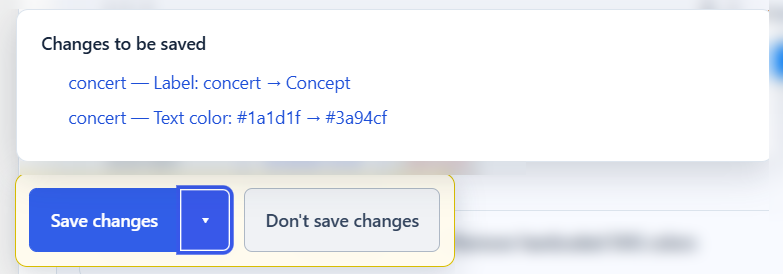
When you change any setting, a Save changes button appears in the left bottom corner. If you click the arrow next to the save button, it will give you an overview of which settings will be saved. Click on any of the items to scroll to that specific setting. Click on the "Don't save changes" button to not save any of the changes.
Deactivate your license
If you want to deactivate your license so you can use it on another site, you can do that at the bottom of the settings screen.
